Rule your own kingdom of games on the go
WishKing App crowns your phone with the full WishKing lobby — the jolly king, a royal welcome package and every promotion one tap away from the bottom bar.


Welcome to the WishKing App
Storybook artwork, royal gold and a lobby that feels at home on a small screen.
The WishKing App brings the hand-drawn, fairy-tale style of WishKing to your phone. Deep navy backgrounds, golden rounded buttons and big readable labels keep the kingdom easy to explore, and a floating bar at the bottom gives you home, search, profile, gifts and the menu.
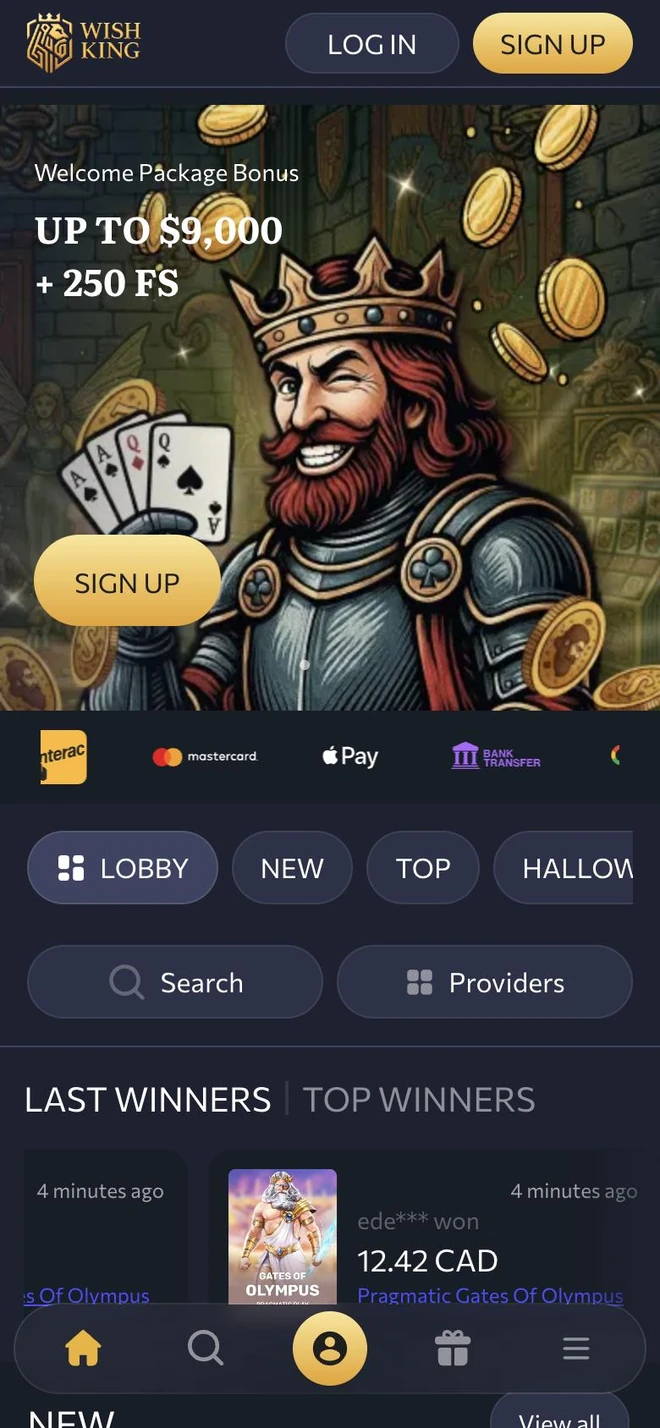
Opening the app, you meet the grinning king holding the welcome package banner, then a strip with the accepted payment brands. A second strip of category tabs and two wide buttons for searching titles or browsing studios help you pick a game, and a feed of last and top winners shows who struck gold recently.
Your WishKing profile is ready to use: the login window asks for your email and password and welcomes you back. Without a profile yet? The same window has a Sign Up tab, so joining takes only a few moments.
Each new version adds polish, fresh game collections and stronger security. Play for the fun of it, keep track of your time and spending, and use the limits in your profile whenever you want extra structure.
Royal perks of the app
What makes WishKing pleasant to play on a phone.
Promotions in one list
Every offer sits on its own card with Get Bonus and Details buttons, so terms are always one tap away.
Find any studio
Search and Providers buttons under the tabs narrow the library down to the game or studio you want.
Winners feed
Switch between last and top winners to see real-time wins across the lobby.
Payment logos up front
Interac, Mastercard, Apple Pay and bank transfer are displayed right under the main banner.
Gifts in the bottom bar
The gift icon in the floating bar opens promotions from any screen of the app.
Your own limits
Deposit caps, reality checks and time-outs can be set from your profile whenever you like.
The king welcomes you in
A cheerful bearded king holds up the welcome package with a golden Sign Up button. Under the banner you will find accepted payment brands, the category tabs, buttons for search and studios, and a ticker of recent and biggest wins.
- Welcome package banner with Sign Up
- Lobby, New, Top and seasonal tabs
- Last winners and Top winners feed
Every offer on its own card
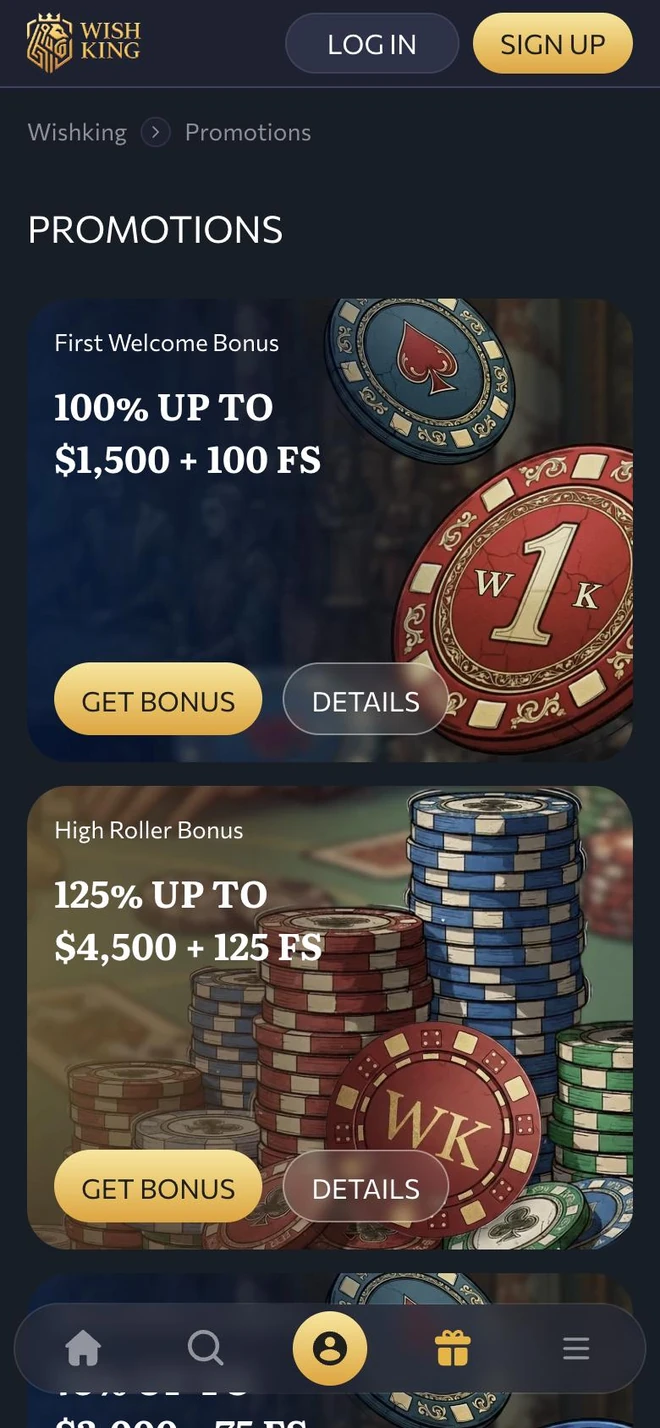
The Promotions page lists the offers as illustrated cards — the First Welcome Bonus, the High Roller Bonus and more. Each card shows the headline amount, a Get Bonus button and a Details button with the full rules.
- First Welcome and High Roller cards
- Get Bonus and Details on each card
- Opened from the gift icon in the bar
Welcome back, Your Majesty
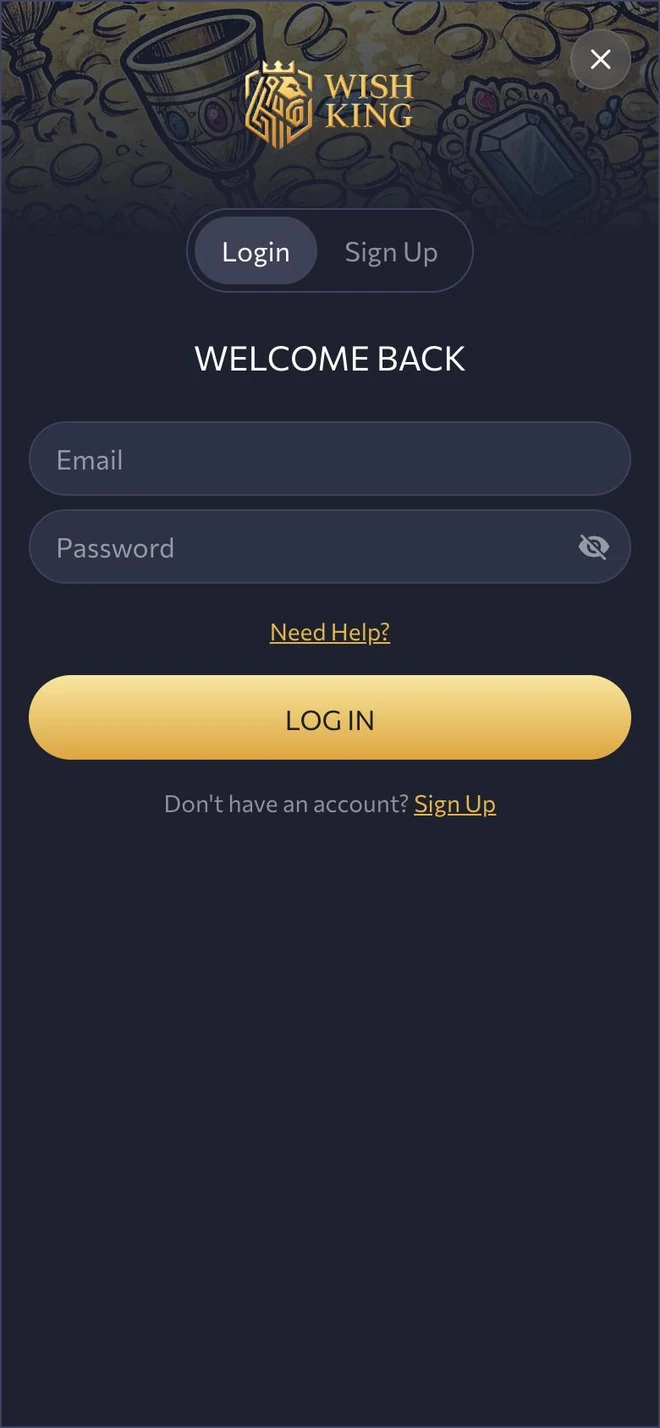
Below the crowned logo, the login window offers Login and Sign Up tabs and greets you with Welcome back. Type your email and password — the eye icon reveals it — and if something goes wrong, Need Help? is right under the fields.
- Login and Sign Up switch
- Email and password with an eye icon
- Need Help? link before the button

Royal announcements
Receive a message when a reward is waiting, a new game joins the lobby or your payout moves forward. Choose which announcements you want and mute the rest.
- Rewards and new games
- Payout and profile updates
- Mute any announcement type
How to set up
Three quick steps from this page to the castle gates.
Press Install WishKing App
Tap any golden Install button and allow the download on your phone.
Finish the installation
Open the downloaded file and accept the prompts. If your device warns about the source, allow it only for this file.
Log in and play
Open WishKing App, enter your email and password or sign up, and choose a game.
Answers for players
How do I get WishKing App?
Press a golden Install button on this page and follow the steps on your device. There is no charge.
Does it run on my phone?
It runs on up-to-date Android phones, iPhones and tablets. A current operating system keeps it fast and safe.
Do I need another profile for the app?
No. Log in with the email and password you already use. First-timers simply switch the login window over to registration.
Will installing cost me anything?
Not a cent. Deposits and wagers are entirely optional and follow the WishKing rules.
How do I get the newest version?
When a newer version is published, the app reminds you on launch. The version currently offered is printed in this page's footer.
Can I play on a computer with the same profile?
Of course. Your profile, balance and history are shared between phone and computer.
How is my data protected?
Connections are encrypted and your profile is locked with your password. The Data Policy page explains the rest.
The app stopped responding — any advice?
Fully close WishKing App, check your internet and make sure you run the newest version. If the issue remains, message us via the Contact page.
Where can I set limits on my play?
In your profile: deposit caps, reality checks, time-outs and self-exclusion. The Safer Gambling page describes each and lists help services.
Something else on your mind? Message the team